
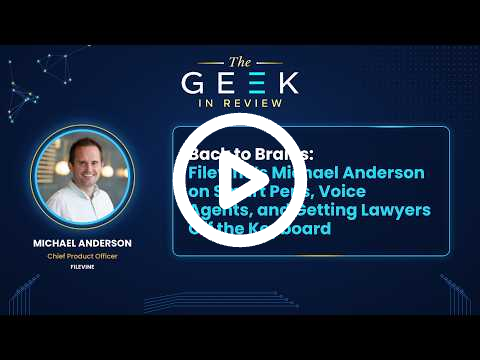
I sat down with Michael Anderson, Chief Product Officer at Filevine, at the LEX Summit in San Diego, where attendance topped 2,000 this year. I wanted to start with his “Back to Brains” article, which argues that lawyers spend too much time pointing, clicking, and typing to get software to do what they already know they want. Filevine announced the LOIS pen and notebook at the conference. It is a real pen with real ink on real paper, and a sensor sends the handwritten notes into the meeting transcript, so a litigator in a client meeting or a focus group can keep eye contact and still capture the thought. Michael calls the legal professional the hero of the story. That is also why LOIS has dictation and readout, since he says the best case-strategy ideas tend to show up when you’re on the go.
The law librarian in me had to ask about the citator. John Rizner demoed it for us earlier (Marlene and I assumed it would go over most people’s heads, until two partners from my firm told me it was the greatest thing they had ever seen). Case results get a green check mark when the citation is verified, or a magnifying glass when something needs a second look. Claims about what an opinion says link to the passage that supports them. You can then highlight a specific holding and run what Michael called a semantic Shepardization of that text across the full corpus of U.S. case law. It uses machine learning to look for similar language, so it can surface cases that address the same point without citing the original, including sub silentio treatment. For people outside the profession, Michael uses Spotify to explain it. Most of us let it recommend songs based on what other listeners picked, and sometimes you want to ask for pop songs with a cello.
We also talked about acquisitions. Filevine bought a deposition marketplace that schedules digital court reporters and paired it with its own live deposition feedback tool, which flags when a deponent says something inconsistent with earlier testimony or with a document in the case file. Pincites brings the work into Microsoft Word. Michael’s reason litigators pick these tools up is that “intelligence is always competitive,” and one fact your opposing counsel doesn’t have gives you a chance to win. He also said something that matches what I see at my firm. Eight years ago he ran SaaS implementations where the main job was getting staff to use the system, and he has been surprised at how quickly attorneys have taken to AI by comparison. He credited Jack Newton with the line that LLMs are to attorneys what spreadsheets are to accountants.
The headline announcement was voice agents that answer inbound calls to the firm. In the live demo on stage, the agent took a call, identified the caller, followed the firm’s decision tree, and put the data into the intake system. Setup uses what most firms already have, such as the script you would hand a new front-desk hire or the configuration in a system like Lead Docket. When I asked about guardrails (I still think about the Air Canada chatbot), Michael said the agent works from the same process documents a new intake employee gets, and that employee doesn’t have full case access either. He told a story about calling several law firms about a real estate matter and getting voicemail every time, with no callbacks. He also pointed to the California State Bar’s Justice Gap Study, which shows how many Californians with legal problems never get the help they need, and he sees the after-hours, overflow, and voicemail calls as the place to start.
We covered how Filevine handles the pace of releases. LOIS now supports external connectors, including Outlook and document management systems, and partners want to bring their own MCP servers into the platform. Michael said an orchestrator picks the right tool for each request, so users get new capabilities without hunting for a menu item. When I asked him to look ahead, he went back to brains. AI does well at drafting a brief when the person using it knows how to draft a brief. He sees his own middle schooler and high schooler being taught skills the analog way before they get the new tools, and he thinks legal will need the same approach: learn the skill first, then use the technology to speed it up.
Listen on mobile platforms: Apple Podcasts | Spotify | YouTube | Substack
Email: geekinreviewpodcast@gmail.com
Music: Jerry David DeCicca
Transcript
Greg Lambert (00:07)
Welcome to The Geek in Review. I’m Greg Lambert, and this is the podcast on creativity and innovation in the legal space. Today I am in beautiful San Diego, California, at the LEX Summit for Filevine, and I have with me Michael Anderson, who is the Chief Product Officer at Filevine. We had his brother on earlier this year, along with John Rizner, but
Greg Lambert (00:36)
welcome, Michael. It’s good to have you.
Michael Anderson (00:37)
Great to be here, Greg. Thank you.
Greg Lambert (00:39)
So I know on the conference, I think you’ve topped two thousand attendees, roughly, and that’s quite a rise from last year. Pulling it all together, is everything going the way you were hoping?
Michael Anderson (00:56)
I think so, yeah. We have such an engaged community among our customers and prospective customers and partners. It’s really great as a product guy to be able to put something in front of them and know that they’re going to try it out, right? That’s just like a gift. It’s really great to have that. So I love their engagement, love their energy. It’s been really good so far.
Greg Lambert (01:18)
Yeah, it looks like an enthusiastic crowd. I want to talk to you about something that you wrote. It’s a “Back to Brains” article, and in it you were talking about how you were working to get away from the pointing and clicking and typing and all of the things that you have to do just to get the tool to do something.
Greg Lambert (01:46)
Do you mind expanding on your thought process there?
Michael Anderson (01:49)
Yeah, a couple of things I can say about that. So one, as it relates to today, we announced the LOIS pen and notebook. This is a real pen with real ink writing on real paper, and it can do a couple of things. We have a whole LOIS for Meetings tool where you can have a meeting like this recorded, and we know that, especially for
Michael Anderson (02:17)
litigation-focused groups, there are lots of highly consequential conversations. And having a screen intermediating those conversations is not going to do it. Sometimes you really need to be in the room. You need to maintain eye contact to move someone in a particular direction. But along the way, you may have brain synapses fire and remember something that you want to follow up on, or you may notice something that
Michael Anderson (02:46)
the person on the other side of the table did, and you make quick notes of it, right? Pen-and-paper type of notes. So what we did is we partnered with a smart pen company. Again, it’s real paper, real pen, but it has a sensor on it, and all of those notes end up going into the transcript of the meeting. So your human soft skills that you have as a litigator, as an interrogator,
Michael Anderson (03:14)
or as someone who’s developing a relationship with a client or an expert witness or whatever it might be, we say those things are really, really good. We need to do more to support those things and have technology adjust around them rather than the other way around. So I would say that’s relevant to today because we announced this LOIS pen. We gave it to everybody here attending LEX, and we’re excited about that.
Michael Anderson (03:44)
But then I would say part of our philosophy is that the legal professional is the hero of our story. Whether it’s giving them a pen and paper to use in a highly consequential meeting or allowing them to be in a high-agency mode, they already know what they want to have happen. Just make the technology responsive to what they already know,
Michael Anderson (04:14)
and use those neural pathways that they’ve developed over years or decades to drive the technology, and not the other way around.
Greg Lambert (04:24)
Yeah, it’s really interesting with the pen and paper, because I think a lot of us are still getting used to the fact that you can talk to the software rather than type. And I just wonder how many lawyers will have to relearn how to write with pen and paper, because we’ve been typing for the past twenty-five years.
Michael Anderson (04:48)
I’ll say this,
Michael Anderson (04:49)
Greg, as well. Eight or nine years ago, I spent a lot of time inside law firm cubicles, teaching people to adopt a new system of record, getting them to go through the click navigation path. And I actually just recently had to engage with a new system for something, and talk about cortisol rising.
Michael Anderson (05:16)
You get in there, you see something for the first time, and you’re like, I don’t even know where to click. I’m told it has all these capabilities, but how do I get to them? So the fact that you can engage with technology through spoken voice, through pen and paper, right, that’s part of our vision. That’s why LOIS has dictation and readout. Some of your best ideas in terms of case strategy, or when you’re working on a particular deal,
Michael Anderson (05:45)
are not going to come to you while your fingers are on a keyboard, staring at a screen, right? They’re going to come to you while you’re on the go. You need to be able to dictate, memorialize them, and bounce them against a sounding board. That’s exactly what people can do in LOIS, and that’s exactly what people expect in the AI era. And so I think that change in interface puts the onus for the thought work back on the practitioner.
Michael Anderson (06:15)
So anyway, yeah.
Greg Lambert (06:16)
As much as possible. The more you can keep hands off the keyboard and off the mouse.
Michael Anderson (06:21)
Yeah, exactly.
Greg Lambert (06:24)
I had talked earlier with John Rizner, who was on the podcast earlier with Ryan. Being a law librarian by training, and having learned research skills over the past thirty years, I was really excited when John was demoing the citator that you have. And I know this is something that
Greg Lambert (06:54)
your audience or your customers may not know exactly. Do you mind walking through what the citator is, what it does, and where you see the value?
Michael Anderson (07:05)
Yeah, absolutely. For our customers, especially if you’re looking for court opinions going from the state supreme court level all the way to the top, we have a full corpus that is really best in the industry. It’s the same corpus that’s used by Google Scholar. And what we allow you to do is certainly just chat and find
Michael Anderson (07:34)
relevant case law. But after you do that, there are a couple of things you’re going to want to do. You’re going to want to know how much of what just came back is slightly off, or maybe entirely hallucinated. So on the first answers you get back from our corpus of legal opinions, we provide visual indicators. If it’s fully verified, meaning the court opinion
Michael Anderson (08:04)
is as it is written and is cited as it should be, there will be a little green check mark next to it. If it might need a bit more investigation, there will be a small magnifying glass that says, hey, check this, maybe it’s mislabeled, maybe it’s totally off. So we provide that visual indicator for the case names themselves. Then we take it a step further in two different ways. You get full pincite-level
Michael Anderson (08:34)
granularity, so the claims the AI comes back with about what a legal opinion says are grounded in the words and phrases of the actual opinion. That’s one. And then once you decide, okay, I want this holding, and I need to know if this specific text is still good law, we run a full semantic Shepardization
Michael Anderson (09:02)
of that highlighted text against the entire corpus. And let’s be clear, this is not Shepardization that is done by hand, and that’s on purpose. This is Shepardization targeted to specific paragraphs, the specific things you highlighted, and it’s looking for semantic similarities. There’s a lot of machine learning work that goes into this.
Michael Anderson (09:30)
It’s looking for semantic similarities across the corpus of law, meaning you’re going to find things that are directly cited by others, but you’re also going to find sub silentio treatment that isn’t directly cited, because it’s not done by hand. It’s done with deep semantic retrieval across that corpus. I don’t know if there’s any part of that you want to dive into, but that’s how I would summarize it.
Greg Lambert (09:54)
I think one of the things people may not understand is that, traditionally, a Shepard’s or a KeyCite looks at cases that have cited other cases on a particular issue, but there really need to be two things going on at the same time. There needs to be a direct cite to the case, and then the topic for which it’s citing that case is captured, and they correspond. And if you’re missing one of those two, it doesn’t
Michael Anderson (10:21)
The web’s incomplete.
Michael Anderson (10:22)
Yeah.
Greg Lambert (10:23)
show up. And so by using this kind of knowledge graph that you’re doing with the citator, if it’s the same topic, even though it may not cite that case, if they’re talking about the same thing, it overlaps, and then you can verify that. Is that right?
Michael Anderson (10:39)
Yeah.
Michael Anderson (10:39)
Yeah, I think that’s exactly right. Sometimes I explain this to internal folks in marketing or engineering, and I’ll ask, “Do you use Spotify?” And they say yeah. And I say, okay, Spotify will give you songs it thinks you’re going to like based on what other people have chosen. But what if sometimes you say, actually, I don’t want you to tell me what you think I’ll like or what might be relevant. I want to match a particular sound.
Michael Anderson (11:08)
I want pop songs with a cello, or whatever. I use that as a metaphor for people who don’t have a lot of exposure to this. Yeah, we’re looking for text that is similar across the corpus of United States case law.
Greg Lambert (11:24)
Yeah, it was funny, because when John was describing this, myself and another librarian, Marlene, my co-host, were going, “This is great, but it’s going to be way over the heads of everybody here.” And then I talked to two partners at my firm who were there, and they said, “That was the greatest thing I’ve ever seen in my life.” So it does seem to strike a chord. I want to move on.
Greg Lambert (11:49)
You’ve done some acquiring over the years, and just like you were talking about, you want to get lawyers away from the typing, clicking, pointing, and moving things around. But you also want to be there in the products they’re
Greg Lambert (12:08)
actually using at the time, so they don’t have to context switch. You’ve had a couple of acquisitions. You had Pincites, which you’re using in the Microsoft Word environment, and then Parrot, which works in the deposition space, the copilot for depos. Talk about why you made those acquisitions, how they’ve integrated into Filevine, and
Greg Lambert (12:37)
how they’ve advanced since they came over.
Michael Anderson (12:41)
Yeah, great question. We’ve made some great acquisitions over the past couple of years, so I’ll start in chronological order. On the depositions front, we acquired a company that described itself as the Uber of depositions. They had a marketplace of digital court reporters, and you could schedule a deposition through them. They make sure it gets assigned to
Michael Anderson (13:09)
the right court reporter for your jurisdiction. Then you have an entire platform the deposition is run from, with tools for after the deposition, and there was a lot of AI in there as well for taking snippets of the deposition you might want to use in court. We paired that with a live deposition feedback tool that we had already
Michael Anderson (13:39)
released. So you now have an end-to-end experience: pre-deposition, creating a deposition outline, being in the deposition and getting live feedback that, you know what, this deponent is saying something inconsistent with what they said two hours ago, or inconsistent with one of the documents in your case file.
Michael Anderson (14:03)
And then you take the intelligence that comes during the deposition, which you could act on after a break, or after seeing it, or because someone in second chair tells you, and that goes all the way through to getting a delivered transcript. So you wanted to know why we did this. We were deep with litigation customers. We have
Michael Anderson (14:32)
litigation founders. We’ve been pretty darn committed to the litigation space. And depositions are a big part of what it means to be a litigator, to be a litigation firm. You’ve got to have a strong depositions muscle. There’s an industry that supports this, but it’s not doing it in an AI-native way.
Michael Anderson (15:01)
So we made the acquisition, paired it with some technology we already had, and now you’ve got a really cool marketplace and a product experience with intelligent functionality inside it that helps you during the deposition and after the deposition.
Greg Lambert (15:19)
Well, we all know that lawyers, especially litigators, love change, right? I’ve seen this myself. When you introduce this type of change in their process, especially something as core as depositions, you expect a little pushback: why do I need this? How do you
Greg Lambert (15:47)
talk to your customers to explain what the product does and why it makes things better, and then what does the training or implementation phase look like to help push this along?
Michael Anderson (16:00)
Yeah, great question. I think there are a couple of things that really pop out. One is just how easy it is to schedule a deposition. We have customers on both the plaintiff and the defense side, and they may start out booking a handful of depositions with us a week, and then grow to booking dozens or even hundreds. So there’s something to
Michael Anderson (16:27)
the ease of getting something scheduled. But I would say the difference maker is that you’re already in possession of things that could change the game during this deposition, both in your preparation and in your execution. Those are in your evidentiary materials. They’re things you need to retrieve and understand better, and that will help you.
Michael Anderson (16:56)
We help you prepare the deposition outline using the material you already have, and then we reference it during the deposition. I think there’s something interesting about the AI era, which is that intelligence is always competitive. Intelligence is always competitive, right? If you have one piece of intelligence more than your competitors, more than
Michael Anderson (17:25)
your opposing counsel, you have a chance to win. And I think that makes it different. Litigators want to win. So the nature of having a constantly competitive intelligence dynamic in the industry, and not wanting the other side to have an advantage, I think that helps us.
Greg Lambert (17:48)
I like what you said about intelligence being competitive. I get asked a lot how the legal industry is adapting to and accepting artificial intelligence as part of the work. And my response is always that
Greg Lambert (18:13)
typically, when it comes to technology, the legal industry is about five years behind our clients, except for AI. I’m seeing a lot of lawyers and law firms, even huge law firms, jumping in. And my answer to why was that this is
Greg Lambert (18:38)
one of the first times the technology is language-based. It’s dealing with the same thing we deal with. And your point that intelligence is competitive fits along with that. So were you surprised at how quickly the industry jumped on artificial intelligence and started embedding it?
Michael Anderson (19:05)
I
Michael Anderson (19:06)
think your insight that this is language-based is the key. Was I surprised? Compared to how folks adopted, say, a traditional SaaS platform, which, as I mentioned, I was on the front lines of implementing eight years ago and ran a team implementing, typically the job was to get the staff to use it.
Michael Anderson (19:35)
And the attorneys, as long as they got their reports and could access their documents, they were fine.
Greg Lambert (19:41)
Print it out and put it on
Michael Anderson (19:43)
Yeah, exactly. In the AI era, it might be inverted. The ease with which attorneys engage with this has been interesting and surprising. But it does make sense, right?
Michael Anderson (20:03)
It’s a technology that trades in language, and it’s working with a profession that trades in language. One of our fellow leaders in the industry, Jack Newton, said, and credit to him for coming up with this, that what spreadsheets are to accountants, LLMs are to attorneys. And I think that’s a good way to think about it.
Michael Anderson (20:33)
I came from technology in finance. You put a spreadsheet in front of a finance or accounting person, and they know exactly what to do with it. I feel like it’s the same way here. You put it in front of someone who has a facility with language, and they just know what they would ask and what they want to get. So I think your point is spot on.
Greg Lambert (20:52)
Yeah, and you hit on something I hadn’t really thought about, that this technology may be better focused on the lawyer side than on the business professional side. Because I think a lot of the business professional side is
Greg Lambert (21:14)
moving information from one place to another and making sure things are done on time, whereas this goes right to the core of what lawyers do day in and day out. That’s interesting, because I am seeing a bit of a disparity between the staff side and the lawyer side on adoption.
Michael Anderson (21:34)
So
Michael Anderson (21:34)
I think that’s spot on. It can be both, and we actually see that it’s both among our customers. There are a ton of process gains to be had from using LOIS, and we love those. But what feels new and interesting is the substantive gains lawyers experience when using LOIS.
Greg Lambert (21:54)
All right. So we talked a little bit about how you’re using pen and paper and trying to work the way lawyers work. One thing you announced today is that Filevine’s LOIS can now handle inbound calls. You have a voice that can handle those calls and then
Greg Lambert (22:21)
improve the intake process. Walk me through the new voice agents.
Michael Anderson (22:28)
These
Michael Anderson (22:28)
are our… yeah, great question, Greg. These are our voice agents, and we demoed them live on stage. That was all real, for those who were at LEX. Someone placed an inbound call to a law firm, and a voice agent answered. I think we’ve all had the experience of calling a bank or a hospital or whatever, and you often get a voice agent on the other side. What
Michael Anderson (22:56)
I hope stood out to people who heard it was just how competent that voice agent was. Compare that to what a lot of our law firm customers have now in terms of third-party answering services. Those are good too, but these voice agents actually made progress with the person who was calling the law firm. They collected data from them,
Michael Anderson (23:25)
they put that data in the system, and they followed a whole decision tree. The agent identified an inbound caller who fit a particular persona. So there are ways to build this with all of the context our customers have in their intake systems and in the
Michael Anderson (23:53)
operating procedures they run at their front desk. You take that, you give it to a voice agent, and you have a fully connected experience with your front desk and intake systems of record. And you’re actually making progress with inbound callers. Being on the other side of the line calling, you get a sense of that competence. I’ve had the experience
Michael Anderson (24:23)
for my own personal needs. In recent years I had a real estate matter I needed to work out, and I called several local law firms. Voicemail across the board.
Greg Lambert (24:37)
Did you get any calls back?
Michael Anderson (24:38)
No, no calls back. People are busy, right? People are busy. And I would have really liked to know that I was in someone’s system.
Michael Anderson (24:52)
That someone had a good sense of me, that someone had walked me through getting into that system, that an AI had asked me follow-up questions. So it is a mental shift. I’ve talked to people today who say, well, we have this whole intake team that’s dialed in, and we’ve got it working the way we want it to work. And my message to them is, you don’t have to change any of that at all. But think about all of the calls that hit voicemail. How many of those
Michael Anderson (25:21)
are actually in your firm’s system? How many are actually getting followed up on? Think about that. And then think about the calls that go to call overflow, or an after-hours or weekend service. That’s what you need to be thinking about. The technology here has gotten really good, and we wanted to offer it to our customers and give them a way to
Michael Anderson (25:49)
amplify, accelerate, and scale their front desk and intake functions.
Greg Lambert (25:55)
As you were talking, a couple of things came to mind. You have a diverse customer base. A customer could be a personal injury firm, an immigration firm, a variety of things. How much time and training does it take to get the voice agent to understand my law firm versus another person’s law firm? What goes into it?
Michael Anderson (26:22)
That’s a great question.
Michael Anderson (26:23)
The fortunate thing is that a lot of firms have already done this thought work. Like I said, there’s sometimes a script with a decision tree that you would give to a new hire. You may have already put this information in a system like Lead Docket. So the message is, you already do this.
Michael Anderson (26:49)
Take those documents, take that system configuration in your intake or front desk system, and our voice agents can plug directly into it and follow it. There may be some other bells and whistles you want to add, but the core thought work is something you’ve already done if you have a built-out front office and intake team.
Greg Lambert (27:15)
I know this type of customer service agent or intake agent has improved, but I immediately think of the Canadian airline issue, where a chatbot gave false information. What kind of guardrails do you put on this, and as things change, how do you make sure the agent working for you understands those changes?
Michael Anderson (27:43)
Yeah, great question. The thing your agent will be anchored on is the internal process documents you would give to a new hire starting on your front desk or your intake team. That intake team member today probably doesn’t have full case access anyway. So our message is, you don’t have to give it to the AI either.
Michael Anderson (28:12)
You can just give it everything it needs to know to deliver a good client experience, or a good potential-client experience. We are interested in how this might engage with a client portal experience, where clients find out some details on case progress. We have that in our client portal. But today what we were really talking about is that
Michael Anderson (28:40)
you give protocols to a call answering service, you give them to your intake team, so why not also give them to a voice agent and have it do, honestly, a really good job of helping someone get into the system, make progress, and answer good follow-up questions.
Greg Lambert (28:59)
And do you think the process of actually getting the person into the system would, like when you were doing your real estate matter, if you’d had one of these, increase the chances of somebody calling you back?
Michael Anderson (29:13)
Yeah.
Michael Anderson (29:14)
I mean, sometimes I joke that to get a good attorney today, it feels like you’ve got to know a guy, right?
Greg Lambert (29:21)
Debbie from New Jersey.
Michael Anderson (29:22)
Yeah, exactly. You’ve got to know a guy who gets you in, because the systems are really hard. We’re here in California, and the California State Bar did a study, I think a year or two ago, and it’s probably been refreshed since then, that found something like
Michael Anderson (29:42)
one in ten households that want legal services just don’t get them. So when I hear hand-wringing about what work attorneys will do, and we don’t hear this too much anymore, there is a huge ocean of latent demand from people who just don’t get these services and want them. The fact that you can capture more of that by having an AI agent competently
Michael Anderson (30:11)
answer the phone, get them in the system, and enrich their information with things they’ve told the agent, I think that’s a good thing for access to justice. I think it’s a good thing for making the legal system more democratized.
Greg Lambert (30:29)
I’m just curious if that’s one of the benchmarks you’re measuring at Filevine. Do you take a snapshot of what the workload was before a firm put in Filevine and then after, to see what the ROI is? I know this was supposed to be the year of ROI, but I’m still not quite seeing it.
Michael Anderson (30:57)
We know that anecdotally. We know it on both the defense side and the plaintiff side. If you’re representing insurance companies, say, you also want to get through a lot of information, help them manage their legal exposure, and make it predictable. You still have a volume game. And the ability to take on more volume and know
Michael Anderson (31:26)
that where we need to apply expert attention, we still are, and that we’re still delivering a great client experience, that would be a big outcome for us. And frankly, Greg, we’re seeing that. We’re seeing it anecdotally among our customers. That’s exactly what’s happening.
Greg Lambert (31:45)
Now, Filevine is a pretty broad product. It does a lot of things. And in the era of AI, we see a lot of
Greg Lambert (31:57)
very narrowly focused startups coming in that handle one thing really deep, and then you see all-in-one companies that handle a lot of things but maybe shallowly across all of them, good enough in some areas. So, one, how do you view the competition from point-solution companies coming in? And
Greg Lambert (32:27)
how do you make sure you’re not just wide enough, but also deep enough in all of those areas to be beneficial to your customers across all these different services?
Michael Anderson (32:39)
Yeah.
Michael Anderson (32:39)
Great question. A few things on that. One, I love the attention legal technology is getting today. It’s actually really fun. I remember in Filevine’s early seed fundraising, people asked us, gosh, is legal even big enough to build a company? They thought it was so niche. So I think this is fantastic.
Greg Lambert (33:08)
I think they were asking that question a couple of years ago.
Michael Anderson (33:10)
Yeah, right, right. I think it’s fantastic. The legal industry is such a great place for AI applications, so I totally welcome it. I was just talking to one of our partners. We have a whole partner community that does a variety of things that extend our platform. And we talked earlier today about the fact that you can bring
Michael Anderson (33:39)
external connectors into LOIS. Basic things, like an Outlook connector. Of course there are ways to get emails into Filevine and make sure they’re part of the case context, but what if you forget? Or you’re not using Filevine in that specific way? So we announced external connectors. We talked about document management connectors that can be brought in, Outlook,
Michael Anderson (34:08)
and more on the way. And I was talking to one of our partners that does record retrieval, and they said, we’re so excited you announced external connectors. We want our own MCP to be available in LOIS. That’s exactly part of the vision. We’re not going to go deep on every single thing that might help a law firm. So we’ve built great partnerships,
Michael Anderson (34:36)
and we want those to be part of the LOIS platform. There are a lot of problems to solve in this industry, right? The water’s warm, come on in. We welcome you. That’s how we think of it.
Greg Lambert (34:50)
Yeah. One of the issues I’ve had to face at my firm is just the speed at which new products are coming at you, even in the products you already own. How do you help your customers understand what you’ve already released, so they’re taking advantage of it, what’s
Greg Lambert (35:16)
recently released, so they can train on it, and what to expect going forward? How do you handle that communication?
Michael Anderson (35:23)
Great question. I’m going to zoom out, and then I’ll give specific examples. One of the great things about an AI-native interface is that to do the job at hand, you don’t have to know all the capabilities. In the old world, every new capability raised the question, is it in the main navigation? I sometimes joke that if I granted every request from a product manager to put
Michael Anderson (35:52)
their new feature in the main navigation, our customers would need screens that are five feet wide, because everybody wants to be part of the main navigation. Now you don’t need to worry about that. We have an orchestrator that chooses the right tools for the request, for the person asking the question, for the job that needs to be done. So one of the great things we see is that we add
Michael Anderson (36:21)
tools to that orchestrator. It might be a litigation deadline database. People ask questions, and that tool gets used. So one of the cool things is that LOIS will surface the tool for the job whether or not you ever knew it existed. It will call that tool and use it for you without you having to know the right place to click. I just think that’s a cool part of AI-native tooling. We talk about the fact that
Michael Anderson (36:51)
you need to know what you want, but you don’t necessarily need to know where to click. So I would say that. And then of course we do a whole bunch of very traditional things. We have release notes you can find on our site, we do webinars, we do all of that. But it’s amazing how much dissemination happens just from people trying to get a job done, and it ends up calling
Michael Anderson (37:18)
the new capability we just added, and it ends up solving the problem.
Greg Lambert (37:22)
Yeah. I imagine it’s transformed the LEX Summit as well, because this used to be the time when you announced the big rollout for the year, and then you went back and started on the next year. But now it’s weekly, biweekly, monthly releases.
Michael Anderson (37:42)
Totally.
Greg Lambert (37:43)
So when you bring your customer base together for LEX Summit,
Greg Lambert (37:49)
how are you approaching it now that’s different from what you’ve done in the past?
Michael Anderson (37:54)
Great question. You’re spot on. The cadence of the AI era is just faster. The cycles are tighter, and the speed of innovation is relentless. You’ve got to stay on top of it from our perspective, but we also don’t want to overwhelm our customers. So if you notice, the breakout sessions at this conference cover things like
Michael Anderson (38:23)
LOIS for a transactional in-house group, or LOIS for a family law and estate and probate firm doing time and billing. Knowing how to apply it means a lot. And I give credit to our support and expert group. They’re running trainings every single day of
Michael Anderson (38:51)
this three-day conference, because if it doesn’t come alive for you, it doesn’t feel real. But once you’ve had the experience, you’re hooked. If I contrast it with what I was talking about before, a digital transformation launch where everything happens all at once, this is instead a diffusion of dozens or hundreds of small cycles
Michael Anderson (39:20)
that need to happen in terms of onboarding. So it’s still necessary, but once they happen, people get to the other side of it and they get it.
Greg Lambert (39:29)
Well, for the last couple of questions, I want to have you look back a little bit, and then I’m going to ask you to look forward. What’s something that’s true at the 2026 LEX Summit that wasn’t necessarily true at the 2025 LEX Summit?
Michael Anderson (39:45)
Gosh, where to start? We’re here in beautiful San Diego, and there’s not a cloud in the sky. At some of our big Filevine offices, this would be winter, so that’s an obvious one. The diversity of groups that use our platform increases every year. We have litigation founders,
Michael Anderson (40:14)
and the thing that’s interesting is that there’s litigation-relevant tooling in LOIS that brings the whole group together. You could be doing litigation for elder law, or you could be doing litigation representing an insurance company, and you’ve got
Michael Anderson (40:42)
a common language. I think that’s a big emphasis this year. So that’s what I would say.
Greg Lambert (40:49)
All right, now I’m going to ask you to pull out a crystal ball, and we’re going to look to the future. What do you think this industry needs to be prepared for? Maybe a change or a challenge that we may not see on the horizon, but that you’re seeing?
Michael Anderson (41:08)
A question of what’s on the horizon that you might not be anticipating. I’ll go back to where we started, and it’s back to brains. What makes AI do really well at drafting a brief is someone who is really good at drafting a brief. It’s still a force amplifier.
Michael Anderson (41:37)
And I think it’s not just in legal. I’m a father, and I see this with my own middle schooler and high schooler. A lot of schools are now going back to doing things the old-fashioned way to make sure students learn it. There was a wave of homework where you did multiple choice and filled out math online,
Michael Anderson (42:05)
and all of that. And now it’s, no, we actually have to learn these skills first, and then we get amplified. So that’s something I see on the horizon: do it the analog way first, learn it the old way, forge those neural pathways, and then we’ll show you how you can really accelerate it with the new tooling. That’s what
Michael Anderson (42:35)
I think.
Greg Lambert (42:36)
Well, Michael Anderson, Chief Product Officer at Filevine, thank you very much for joining me on The Geek in Review.
Michael Anderson (42:42)
All right. Thanks a lot, Greg.
Greg Lambert (42:44)
And I just want to thank the audience for listening and watching. Please reach out to us on LinkedIn or Substack. Michael, where can people learn more about Filevine and you? Where should they reach out?
Michael Anderson (42:57)
Filevine.com. You can find out a bunch about us there. You can also check out the LEX Summit website and see what we talked about here over the last couple of days.
Greg Lambert (43:08)
Thank you very much.
Michael Anderson (43:09)
All right, thank you.